How Webcams Work

How Webcams Work

If you have been exploring the Web for any length of time, then you have run across any number of Webcams in your travels. Webcams range from the silly to the serious -- a Webcam might point at a coffee pot or a space shuttle launch pad. There are business cams, personal cams, private cams, traffic cams... You name it and there's probably a Webcam pointed at it.

Have you ever considered setting up a Webcam yourself? You might want to create a funny Webcam by pointing it at your hamster or putting it inside your refrigerator. But it turns out there are lots of productive uses for Webcams, too. For example:

You will be out of town for a week and you want to keep an eye on your house.
You'd like to be able to check on the baby sitter and make sure everything is OK while you are at work.
You'd like to know what your dog does in the back yard all day.
You want to let the grandparents watch the new baby during nap time.


Welcome to Niagara Falls!

Carved more than 10,000 years ago by the Wisconsin Glacier, Niagara Falls has roared through the ages powered by waters from the Great Lakes channeled through the mighty Niagara River to a spectacular destination.

Recorded for history by multiple explorers beginning early as 1604-the enormous energy of the falls was first harnessed in 1759 when Daniel JonCaire dug a small canal above the American Falls to drive his sawmill. Today the rush of up to 75 percent of the water surges through four giant tunnels to hydroelectric plants miles away from the falls supplying power to nearby cities and communities in Canada and the USA.

The falls, which straddled the boundary of Canada and the USA, include three distinct sections: The American Falls between Prospect Point and Luna Island; the Bridal Veil Falls between Luna Island and Goat Island and the Canadian Horseshoe Falls between Goat island and Table Rock.

The grandeur of the falls, second in size only to Victoria Falls in southern Africa, has long been an inspiration to world travelers, artists, writers, entrepreneurs, film producers, and conservationists as well as a wide range of acrobats, daredevils, and assorted publicity seekers. The world famous attraction is rich in history and the area offers a variety of views of the falls from land at various levels and on "Maid of the Mist Cruises" which have carried raincoat-garbed passengers into the giant whirlpools beneath the falls since 1846.

EarthCam and affiliate, FallsViewCam.com are delighted to bring international visitors an enticing preview of what they will see in person from a dramatic live camera vantage point where viewers experience the ever-changing "moods" of the falls.


SpeedyCam

SpeedyCam - Webcam Comparison

The holiday season is just around the corner and many people are looking for great gadgets to give to their loved ones. On many wish lists, there is a webcam.

That's where the real problem starts. What is the best webcam for the best price? During the past couple of years I've bought several webcams. Most of these cameras were used on my SpeedyCam web site to film road movies around Europe.

The quality of those cameras differs significantly and also depends on their price.

I've put this little page together so you can see the quality of the images produced by the cameras I've bought. Maybe it helps you a little bit to decide which one is the best present to get.

If you are looking for software to create time-lapse movies, please check out the following links (additionally, several of the cameras bought come with their own software packages which can also produce time-lapse movies)

  • Download.com has a few links to time lapse software.
  • Ben Software produces BTV Pro which is used to capture the movies on SpeedyCam.be. They update the software very often and add new features. The frame averaging in BTV Pro is very useful in time lapse movies.
  • C3 Sytems is the publisher of WinTLV and produces good time lapse results on Windows computers. Use this software if your webcam is connected to a PC.
  • Publicspace offers several great file manipulation programs which are a must for any serious web publishing (for Mac and Windows).

QuickCam VCX10 XCam2
QuickCam Pro ConstantiREZ Kritter
QuickCam Pro Zoomed

WebCam Manufacturers:

Logitech QuickCam VC

I bought my first webcam in spring 1999. First I wanted to get a QuickCam Pro however because Logitech didn't produce enough of those new cameras at the time, I decided to get the entry model -- the QuickCam VC (video conference)

That camera was first used for my LoveTest.com Road Show: when I was in Spain for a holiday with my friends, we put the webcam on our balcony to film the pool area and broadcast it live on the Internet. That way, visitors of LoveTest.com could see what we were up to during our holiday.

The second big web broadcast was the solar eclipse on August 11th, 1999. I had the live video of the solar eclipse on my EasyScopes site. During 1 hour, more than 5000 people connected to my laptop via the Internet to see the moon move before the sun.

As I didn't have much experience with any webcams, I was quite satisfied with the results produced by the QuickCam VC. However it was a bit slow at times.

Logitech QuickCam Pro

It had been impossible to get a QuickCam Pro in Europe for quite some time. During a work trip to New York, I attended a conference and fund-raising dinner. One of the items auctioned off at that dinner was a QuickCam Pro. I really wanted to get the pro version of the QuickCam. My final bid was $150 which was about the same price as I would have paid in Europe. I was very happy to get the camera.

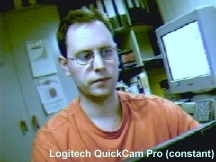
The quality of the images produced by the QuickCam Pro is much better than those produced by the QuickCam VC. It's also possible to film at higher resolutions. The pro version provides a low-light mode which enhances the movies in dark rooms. It's also possible to zoom in on an object.

Most of the earlier movies on the SpeedyCam were created using the QuickCam Pro.

X10.com XCam2

While surfing on the web, I saw a lot of (annoying) ads for a tiny wireless webcam called XCam2. Those ads popup on many sites. After having seen those ads for several weeks, I decided that I should read more about it. So I clicked on the link and was taken to the X10.com site

On their site I read a lot of interesting things about this camera. Because I was intrigued by it and really wanted to know if it works, I bought it through their European distributor.

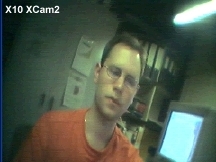
Once the package arrived, I installed it immediately. I really wanted to see if the wireless camera would work across our home. I installed the XCam2 near our front door and the receiver on my computer. However there was no video signal.

I discovered that the 30 feet distance between the camera and the receiver was too far - especially as there were lots of walls in between. I ended up installing the camera at the end of my corridor so I could see who would come to visit me.

At the Alive music festival I used the camera to film the VIP restaurant and backstage area. In that situation, the camera worked flawlessly, although I was still disappointed by the movie quality. The video signal was too noisy and colors didn't show up correctly.

It's possible to install a battery pack in the camera, so you don't need a power outlet to get it going. The receiver needs an external power source, which means that I can't use the wireless camera in my car with the receiver and laptop on the back seat.

iREZ Kritter SV

Still looking for a great quality webcam I came across the iREZ web site. They have lots of different cameras. I ordered their Kritter SV (s-video) with a CapSureUSB device in order to connect it to my computer.

The Logitech cameras connect to your computer's USB port. The XCam2 has a composite video (c-video/RCA) connector whereas the Kritter uses s-video. My main computer has a RCA input (TV tuner card) so I could use the XCam2 already. The CapSureUSB lets me connect c-video or s-video on an USB equipped computer. To use the Kritter I needed the CapSureUSB device.

Anyways, I was very impressed with the iREZ Kritter SV. It offers superb video quality even at big resolutions. The Kritter was also used at the Alive festival to film the celebrity chat area (Dog Eat Dog, Iggy Pop, Front 242, J.B.O., Sub7even).

After getting some experience with the iREZ camera, I decided to use it as my main setup to film my road movies.

Software

The Logitech cameras come with 2 programs: QuickMovie and QuickPict. The first one allowing to capture movies (as well as time lapse movies with a maximum of 1 images per second) and the later one allowing to grab a single photo.

The XCam2 doesn't come with any software, so I needed to use my TV tuner software (ixTV Desktop) or a shareware program called BTV Pro.

iREZ ships 2 programs with the Kritter. ReelEyes allows you to capture the movies whereas ReelEdit is used to add titles or special effects to your film projects.

Ben Bird's BTV Pro is a great solution to work with any QuickTime compatible capture device (such as all the cameras listed on this page). It has lots of options (especially for time lapse movies). However describing this software goes beyond the scope of this page.

Conclusion

The best choice for a camera really depends what you'd like to film and how often you use a webcam.

When I didn't know any better, I was very happy with the QuickCam Pro. In my eyes the wireless XCam2 was disappointing as it didn't really work as advertised. However you can use it on your TV set or video recorder and don't need a computer.

My projects need a high quality image and good speed. The camera also needs to work on my laptop computer and without an external power source. For that kind of filming the iREZ Kritter SV was the best solution.

If you'd like to get a webcam for casual filming, I suggest you get one of the Logitech cameras (the newest QuickCam Pro 3000 looks like a winner). Logitech is the market leader for webcams. As a novelty gift, I can recommend the XCam2 although its applications are limited and the wireless transmission doesn't like any obstacles in its way. The iREZ camera is the best solution if you are serious about filming movies for the web. It's very small and easy to operate.

web cam

The Top 10 Webcams are chosen by a panel of EarthCam producers who select the best out of hundreds of popular webcam submissions. The criteria used for judging includes image quality, uniqueness of the content, and overall technical achievement in webcam technology. These are the cameras that have amused, amazed, or astounded us.

The Top 10 frequently changes, so be sure to bookmark this page (press Ctrl + D) and check back often.
If you would like to nominate a cam for the Top 10, click here.

Cocoa Beach Area Beachcams details

Cocoa Beach Area, FL United States

Choose from five Different Beachcams, all at 640x480 resolution, located all along the Cocoa Beach Area. Each webcam offers user controls that give stunning views of Florida's nicest beaches. Webcams are streaming image feeds.

www.cocoabeachhotelassociation.com

Tawny Owl Cam details

Oxford, Great Britain

Camera viewing the inside of a Kestrel nest box that is currently occupied by Tawny owls. Features archived images of the owls, and the excitement that happens inside their nest. Image updates every 5 minutes.

www.kestrelcam.net

Pere Marquette River details

Baldwin, MI United States

Come join Clint, Debi, and Adam for a weekend of fishing and fun in Baldwin. Trout, steelhead, and King Salmon. Features a user controllable camera with pan, tilt, and zoom. Webcam is a streaming image feed.

redmooselodgebaldwin.axiscam.net:5700

Gloria Maris Hotel Webcam details

Zakynthos, Greece

See a view of Marathonisi Island from the Gloria Maris Hotel in the small resort of Porto Koukla on Zakynthos. Images are captured at 1024x766. Previous images can also be viewed as a slide show. Webcam updates every 5-10 minutes.

www.justzante.co.uk

My Miami View details

Aventura, FL United States

Located in Aventura Florida, the camera at mymiamiview.com overlooks Sunny Isles and provides a camera snapshot of the North Miami Intercoastal Waterway and skyline view every 30 seconds.

www.mymiamiview.com

Hotel Eiger details

Schweiz, Switzerland

Beautiful scenic view from the Hotel Eiger Resort in Schweiz, Switzerland. Provides multiple presets of the mountains in the distance and the ski conditions of the area. Webcam image updates every 30 seconds.

www.hoteleiger.com

Vladivostok Cam details

Vladivostok, Russia

Web camera installed on the roof of the large and beautiful Primorye cinema Ocean. The camera shows the area in front of a cinema, sports and Harbor Quay - the most popular recreational facilities in Vladivostok. Webcam image updates every few secon...

primorye.ru

Clearwater Beach/Pier 60 Cams details

Clearwater, FL United States

This site offers three unique views of of the Beach Walk Project and Clearwater Beach, including Clearwater Marina, Clearwater Beach (Pier 60), and an aerial view of Clearwater Beach (Looking North on Gulfview Blvd.). Webcam images update every 30 s...

beachtourism.com

Sun Prairie Weather details

Sun Prairie, WI United States

Weather cam located in a local resident's back yard, giving you a glimpse of what the weather is like in the town of Sun Prairie, Wisconsin. Features local weather and radar maps. Webcam image updates every 3-5 seconds.

www.sunprairieweather.com

Duke Farms Eagle Cam details

Hillsborough, NJ United States

This Eagle Cam was installed to provide researchers with an opportunity to monitor a pair of nesting Bald Eagles without any disturbance to the birds. Webcam is a streaming flash video feed.

www.dukefarms.org

Webcams

Webcams are video capturing devices connected to computers or computer networks, often using USB or, if they connect to networks, ethernet or Wi-Fi. They are well-known for their low manufacturing costs and flexible applications.

Contents

[hide]

[edit] History

Started in 1991, the first such camera, called the CoffeeCam, was pointed at the Trojan room coffee pot in the computer science department of Cambridge University. The camera was finally switched off on August 22, 2001. The final image captured by the camera can still be viewed at its homepage.[1]

The coffee machine was repaired for free by Krups.[2]

The oldest webcam, as the technology came to be known, still operating is FogCam at San Francisco State University, which has been running continuously since 1994[3].

One of the most widely reported-on webcam sites was JenniCam, started in 1996, which allowed internet users to constantly observe the life of its namesake, somewhat like reality TV series Big Brother, launched three years later[4]. More recently, the website Justin.tv has shown a continuous video and audio stream from a mobile camera mounted on the head of the site's star.

Recently, Apple and other computer hardware manufactures began building webcams directly into laptop and desktop screens. This eliminates the need to use an external usb or firewire webcam.

[edit] Web-accessible cameras

This Axis camera can be connected directly to a network or the Internet, via an RJ45 connector on its rear. Users can access the picture by connecting to an onboard web server.

In addition to use for personal videoconferencing, it was quickly realised that World Wide Web users enjoyed viewing images from cameras set up by others elsewhere in the world. While the term "webcam" refers to the technology generally, the first part of the term ("web-") is often replaced with a word describing what can be viewed with the camera, such as a netcam or streetcam. Educators can use webcams to take their students on virtual field trips.

Today there are millions of webcams that provide views into homes, offices and other buildings as well as providing panoramic views of cities (Metrocams) and the countryside. Webcams are used to monitor traffic with TraffiCams, the weather with WeatherCams and even volcanoes with VolcanoCams. Webcam aggregators allow viewers to search for specific webcams based on geography or other criteria.

[edit] Software

Webcams connected to PCs can act as web-accessible cameras with certain software. Usually this kind of software works with most webcams, since the software auto-detects the peripheral. Many different programs are available, free, open source, and proprietary.

Webcam software can be configured in many ways. Some software[specify] come with motion detection ability and time lapse capture options or both.[5]. Captures can be short videos in predefined length or still images. Thus, the software can essentially turn the web cam into a security camera. Many businesses and home owners can effectively use a simple webcam device to create their own security system with only a webcam and one of these types of software applications.

The captured files can be saved locally, uploaded to an internet server (via FTP or HTTP) (from which they can be made accessible to anyone over the web), or privately e-mailed to the user per predefined rules. Options for image size and quality, overlaying logos, and time stamping images are usually available. File names can be sequential numbers or current time. Some software allow automatic erasure of old files when not needed.

Some software[specify] can remotely control certain brands of cameras, allowing rotation and tilting.

[edit] Videoconferencing

As webcam capabilities have been added to instant messaging text chat services such as AOL Instant Messenger, one-to-one live video communication over the internet has now reached millions of mainstream PC users worldwide. Increased video quality has helped webcams encroach on traditional video conferencing systems. New features such as lighting, real-time enhancements (retouching, wrinkle smoothing and vertical stretch) can make users more comfortable, further increasing popularity. Features and performance vary between programs.

Videoconferencing support is included in programs including Yahoo Messenger, AOL Instant Messenger (AIM), Windows Live Messenger, Skype, iChat, Paltalk (now PaltalkScene), Ekiga , Stickam, Camfrog and meetcam.

Some online video broadcasting sites have taken advantage of this technology to create internet television programs centered around two (or more) people "diavlogging" with each other from two different places. Among others, BloggingHeads.tv uses this technology to set up conversations between prominent journalists, scientists, bloggers, and philosophers.

[edit] Video security

Webcams are being used for security purposes. Software is available allowing PC-connected cameras to watch for movement and sound, recording both when they are detected; these recordings can be saved to the computer, e-mailed or uploaded to the internet. In one well-publicised case,[6] a computer e-mailed out images as the burglar stole it, allowing the owner to give police a clear picture of the burglar's face even after the computer had been stolen.

[edit] As a control input device

Special software can use the video stream from a webcam to assist or enhance a user's control of applications and games. Video features, including faces, shapes, models and colors can be observed and tracked to produce a corresponding form of control. For example, the position of a single light source can be tracked and used to emulate a mouse pointer, a head mounted light would allow hands-free computing and would greatly improve computer accessibility. This can also be applied to games, providing additional control, improved interactivity and immersiveness.

FreeTrack is a free webcam motion tracking application for Microsoft Windows that can track a special head mounted model in up to six degrees of freedom and output data to mouse, keyboard, joystick and FreeTrack supported games.

The EyeToy for the PlayStation 2 (The updated PlayStation 3 equivalent is the PlayStation Eye) and similarly the Xbox Live Vision Camera for the Xbox 360 and Xbox Live are color digital cameras that have been used as control input devices by some games.

Small webcam-based PC games are available as either standalone executables or inside web browser windows using Adobe Flash.

[edit] Aggregators

Due to the increasing volume of webcams throughout the world, aggregator websites have arisen, allowing users to find live video streams based on location or other criteria. Aggregators provide collections of thousands of live video streams. In the sector of recreation and leisure, Webcams.travel is evolving as another such aggregator with a special focus on webcams interesting for traveling and holiday planning. These travel webcams are of such interest that they are also in the gallery of Google Earth as a default layer.

[edit] Technology

Webcams typically include a lens, an image sensor, and supporting circuitry.

Webcams typically include a lens, an image sensor, and some support electronics. Various lenses are available, the most common being a plastic lens that can be screwed in and out to set the camera's focus. Fixed focus lenses, which have no provision for adjustment, are also available. Image sensors can be CMOS or CCD, the former being dominant for low-cost cameras, but CCD cameras do not necessarily outperform CMOS-based cameras in the low cost price range. Most consumer webcams are capable of providing VGA-resolution video at a frame rate of 30 frames per second. Many newer devices can produce video in multi-megapixel resolutions, and a few can run at high frame rates such as the PlayStation Eye, which can produce QVGA video at 120 frames per second.

Support electronics are present to read the image from the sensor and transmit it to the host computer. The camera pictured to the right, for example, uses a Sonix SN9C101 to transmit its image over USB. Some cameras - such as mobile phone cameras - use a CMOS sensor with supporting electronics "on die", i.e. the sensor and the support electronics are built on a single silicon chip to save space and manufacturing costs. Most webcams feature built in microphones to make video conferencing more convenient.

The USB video device class (UVC) specification allows for interconnectivity of webcams to computers even without proprietary drivers installed. Microsoft Windows Vista, Linux[7] and Mac OS X 10.4 & 10.5 have UVC drivers built in and do not require extra drivers, although they are often installed in order to add additional features.

[edit] Privacy

Some 'Trojan horse' programs can allow malicious hackers to activate a computer's camera without the user's knowledge, providing the hacker with a live video feed from the unfortunate user's camera. Cameras such as Apple's older external iSight cameras include lens covers to thwart this. Most other webcams have a built-in LED that lights up whenever the camera is active (such as Apple's newer internal iSight), although the malicious nature of a trojan horse could have the LED programmed to be disabled even when the webcam is online.

In mid-January 2005 some search engine queries were published in an on-line forum[8] which allow anyone to find thousands of Panasonic- and Axis-made high-end web cameras accessible through the web. Many such cameras are running on default configuration, which does not require any password login or IP address verification, making them visible to anyone.

[edit] Effects on modern society

[edit] Positive uses

Video chat is a good example of positive use, since it allows for cheap real-time communication from anywhere in the world. Webcasting is generally also a positive side of webcams, although terrorist groups also use it to spread their opinions. Webcasting has spun up a global community, based primarily on amateur video production. However, news websites like the BBC also produce professional live news videos.[9] YouTube is yet another example of amateur production of extremely famous video material.

[edit] Possible negative uses

Internet privacy is the biggest concern of webcams. Children and teens under the legal age of consent have easy access to video broadcasting hardware and software, worrying their parents. Adult webcam related material is also a large portion of the webcam related sites on the internet and can be easily accessed through search engines if no parental control is enforced. On 2007-03-23, a man named Kevin Whitrick, committed cyber suicide live on the internet in front of viewers in a chat room website.[10]



ICQ 6.5

ICQ 6.5 with Open-Xtraz gives you more! Be a part of ICQ's world with our new open platform: now you can create, download, enjoy and share fun & useful Xtraz!
Download

All localized ICQ 6.5 versions:
English
Deutsch (ProSieben)
Deutsch (Sat1) (Atlas)
Österreich (Puls4)
Українська (Bigmir) (Bigmir) (Rambler)
Österreich (ProSieben)
Deutsch
Pусский
Български
Slovensky
Ukraine
Беларусь (Bigmir)
简体中文
Български (ABV)


Windows Live Messenger

Get Messenger and stay in touch
Windows Live Messenger makes it easier than ever to stay connected to the people you care about

Favorites and groups
Put the people you chat with most at the top of your contacts, so you easily see when they’re online. Want to chat with several people in one window? Just set up a group.

Customize
Show off your personal style with custom scenes, animated display pictures, and signature sounds.

Share photos
Look at photos together, right in the conversation window. And Messenger tells you when people you know post new photos on Windows Live.

Mobile and web
Using a public computer without Messenger? No problem! You can chat on the web from Windows Live Hotmail. Or, use Messenger on your mobile phone.


Yahoo! Messenger 9.0

Keep friends at your fingertips with Yahoo! Messenger 9.0

Download Now

Connect with all your friends:
Instant message friends on Yahoo! and Windows Live™ Messenger. See which friends also use Yahoo! Messenger
Stay in control...24/7:
Decide who sees you online with stealth settings
Share away:
Swap photos and monster files (up to 2GB) in real-time. Plus enjoy voice calls and webcam video
More info
System requirements: Microsoft Windows XP, Vista.
Other versions: Mac, Web, Mobile